
Parameter management
Set, save and read back negative pressure, heating and related action durations in the interface.
FHES / INK MANAGEMENT INKLINK
Bring ink supply parameters, status readback, maintenance operations and operating logs together in one interface; available functions depend on the software, firmware and delivery configuration.
Based on the FHES InkLink Intelligent Ink Management Software brochure. Screenshots illustrate the interface; parameter values and connection status do not represent actual operating performance.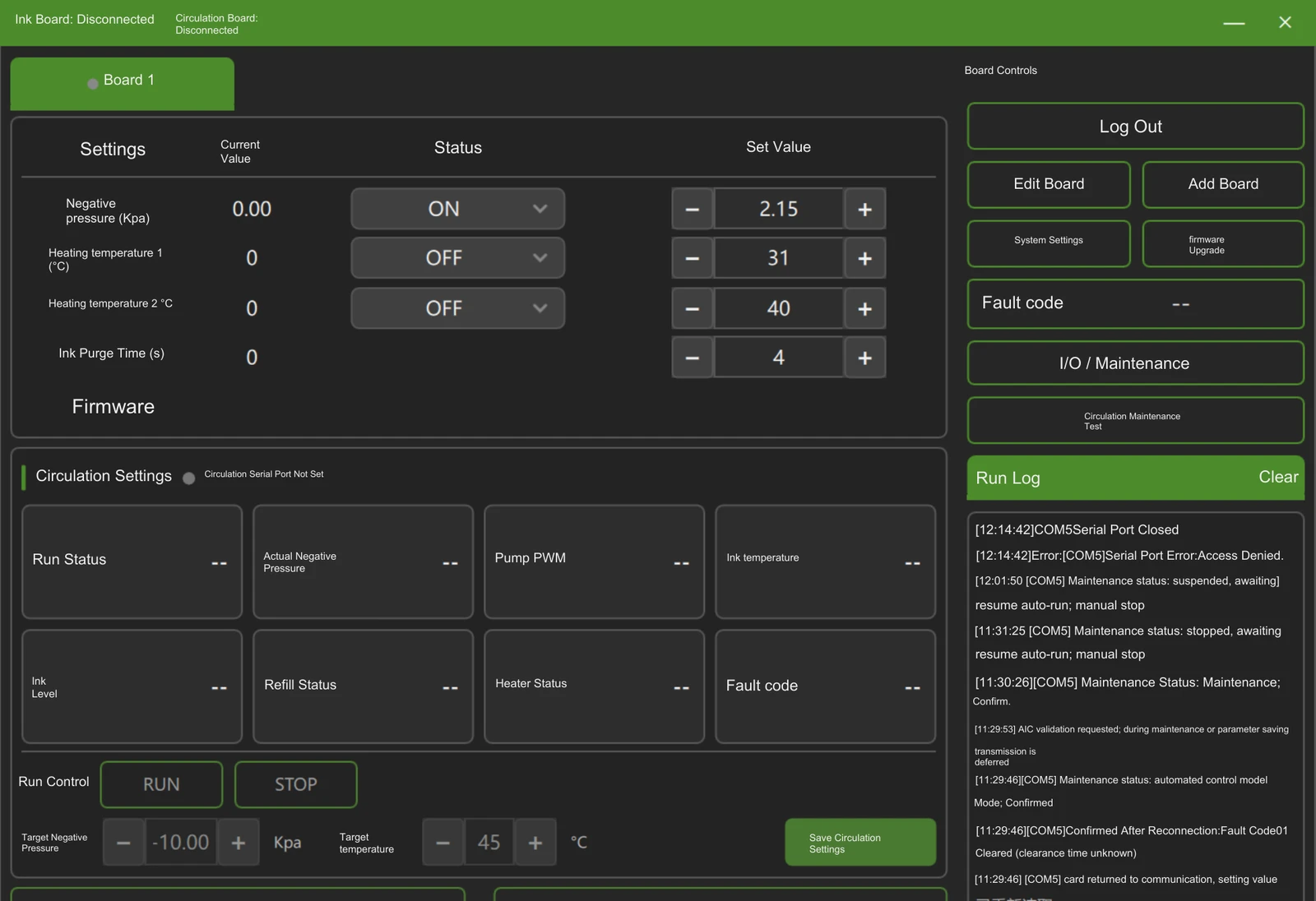
01 / SOFTWARE ROLE
Daily operation and engineering maintenance have separate entry points, reducing switching between tools.
Set, save and read back negative pressure, heating and related action durations in the interface.
View pressure, pump PWM, ink level, replenishment, heating and fault information according to the equipment configuration.
Use clearly identified entry points for ink priming, adjustment, draining and self-checks, and verify software and firmware versions.
02 / PARAMETER + FEEDBACK
Keep common settings, recirculation status and operating logs in one place to make site checks quicker.
Adjust negative pressure, heating temperature and action durations on the same page, and save the configuration.
Use current readings, operating status, alarms and event sequences to help decide the next operation.
The 0.01 kPa stated in the brochure is the software setting increment; it does not represent sensor accuracy, steady-state fluctuation or actual control error at the nozzles.
03 / MAINTENANCE
The menu organizes manual ink priming, negative-pressure adjustment, system draining, overflow handling, self-checks and hardware testing separately.
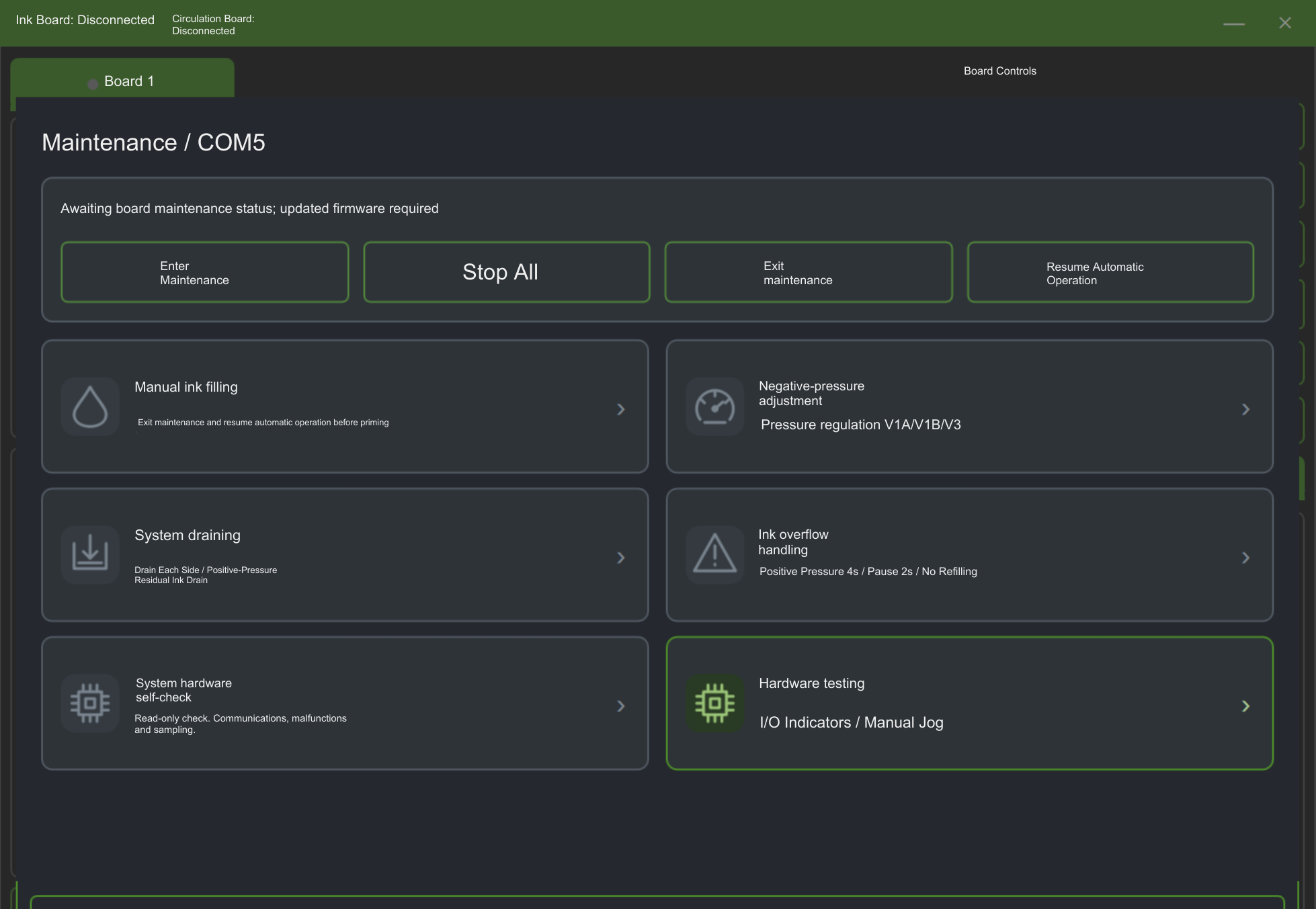
Troubleshoot exceptions using fault codes, status changes and operating logs; specific faults still require inspection of site equipment.
Check the correspondence between software, firmware and functions; remote upgrades require network access, permissions and supporting service conditions.
04 / HANDOVER
Confirm user permissions, parameter lists, status and alarms, maintenance procedures, and upgrade/backup methods at delivery.
Distinguish daily-operation, engineering-adjustment and service permissions.
List target values, action durations, default configurations, fault codes and log-retention requirements.
Define ink priming, draining, self-check and operation-recovery procedures, together with version, backup and licensing conditions.
Actual available functions depend on the delivered software, firmware version and equipment configuration.
APPLICATION TEST / FHES
Provide the equipment model, ink, operating-status requirements and maintenance procedures to help confirm software, firmware and site-interface configuration.