
Design the layout
Combine text, images, PDFs, tables, barcodes and QR codes on a graphical canvas, and save as an .ep template.
FHES / PRINTING SOFTWARE EASYPRINT
From graphical layout design and variable data to production-line printing and real-time monitoring; supports Windows and Ubuntu deployment, with specific modes and extension capabilities configured according to project licensing.
Based on FHES Easyprint Product Brochure V1. Values in the interface screenshots demonstrate job status; functions vary with operating mode, equipment configuration and licensing scope.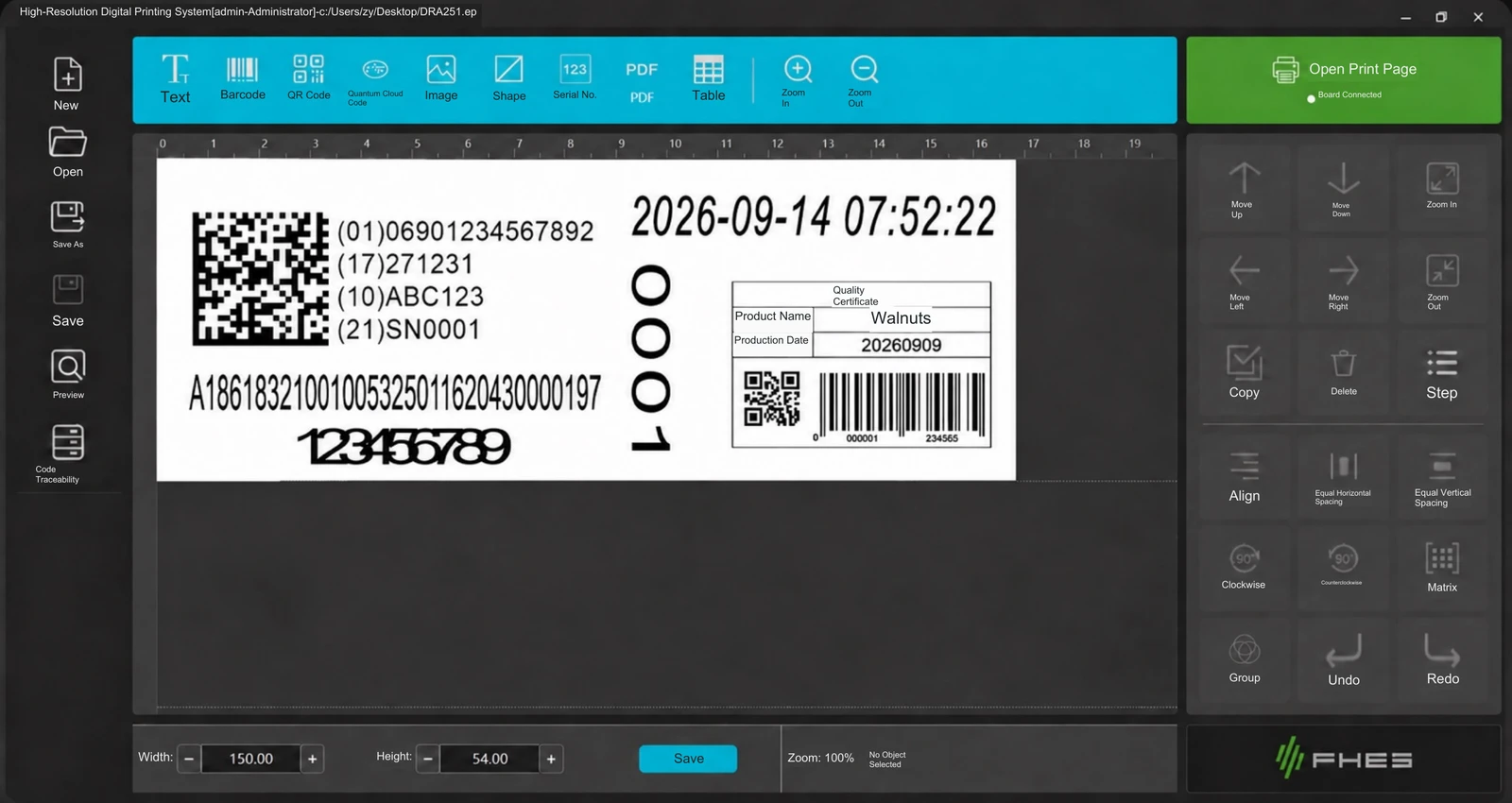
01 / WORKFLOW
Prepare print content, send jobs and view operating status in the same workflow.
Combine text, images, PDFs, tables, barcodes and QR codes on a graphical canvas, and save as an .ep template.
Generate dates, shifts, serial numbers and external data according to object rules to reduce repeated layout work.
Send the job to the printing board, then view the preview, page progress and equipment status on the print page.
Configure visual inspection and traceability for the project, and record and handle exceptions according to the site procedure.
02 / VARIABLE DATA
Manage fixed layouts and changing data separately for dates and batch numbers, serialized coding and variable labels.
Generate dates, times, shifts, page numbers and serial numbers according to rules.
TXT, Excel, database fields and content sent by a host system can serve as data sources.
Combine barcodes, QR codes, GS1 data and human-readable text in the layout.
03 / PRODUCTION MONITORING
The print page brings together the preview, job parameters, page progress and equipment status for convenient site operation.
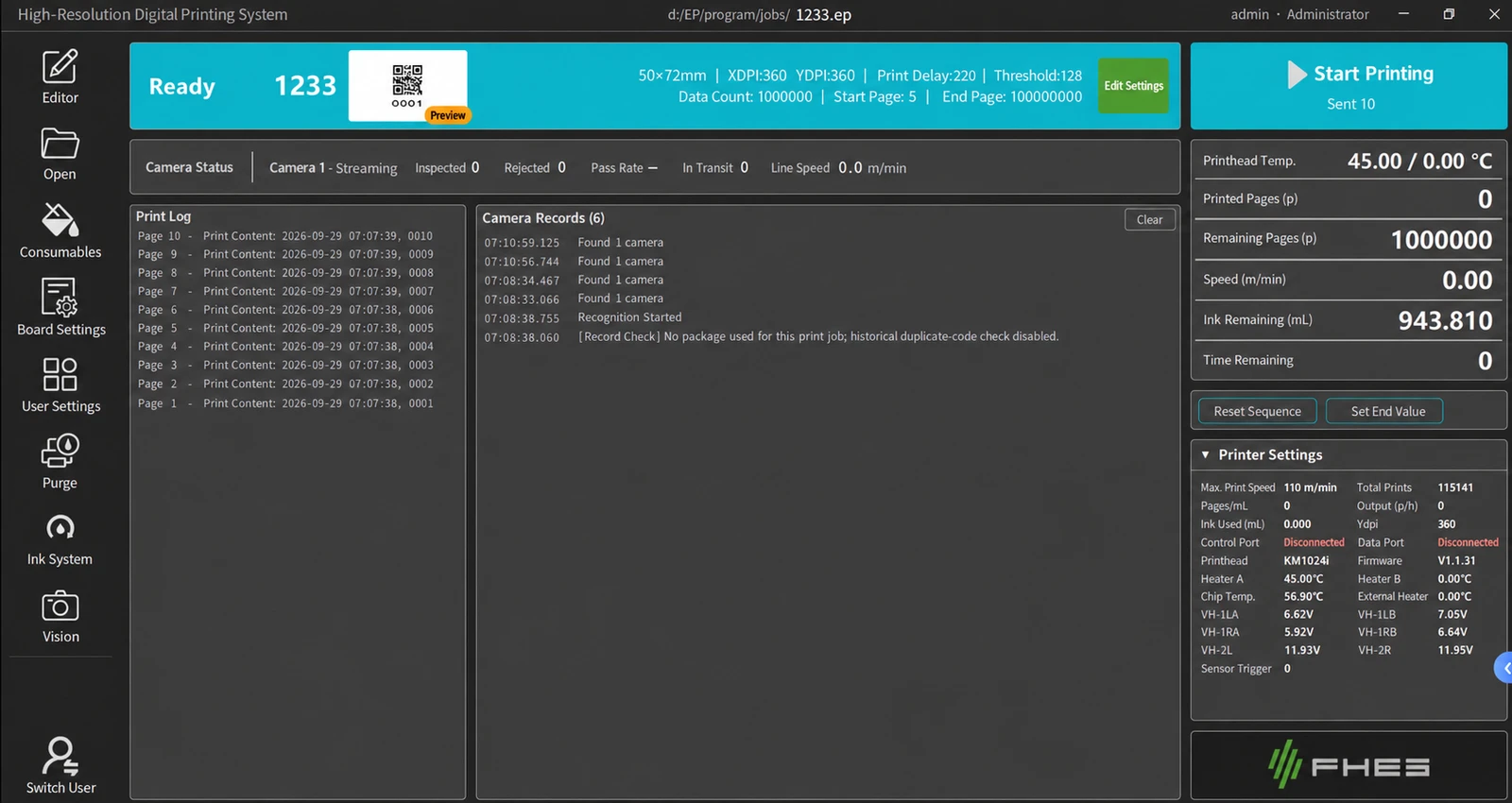
Check the print content and layout dimensions before starting printing.
View the current page, printed pages, remaining pages, speed and remaining ink quantity.
Printhead type, temperature, readback voltage and other items are displayed according to the equipment configuration.
04 / DEPLOYMENT
Windows and Ubuntu versions have the same functions and share templates; the operating mode is determined by the delivered license.
Suitable for peripheral drivers, MES and third-party software integration.
Suitable for fixed workstations; can be configured to launch directly into the software at startup.
Standard mode edits templates inside the software. LabelBridge mode receives jobs from external software such as BarTender and NiceLabel; the design computer uses Windows.
The two operating modes are determined by factory licensing and cannot be freely switched on site. Visual inspection, positioning, code traceability and NFC card-based ink replenishment are project options; compatibility with external software, boards and interfaces is subject to integration testing.
APPLICATION TEST / FHES
Provide print samples, variable fields, data sources and equipment interfaces to help confirm the software mode and site integration plan.