
Prepare Shared Job Data
Printing and inspection use the same job data; define the content to be printed on each product and the inspection rules.
FHES / INSPECTION SYSTEM PIJ + OCR
PIJ printing and OCR visual inspection share job data, compare expected content with actual readings item by item, and store linked images, jobs and exception-handling records.
Based on the FHES PIJ Intelligent Integrated Printing and Inspection System brochure. Confirm inspection rules, exception handling and external interfaces against samples and production-line conditions.
01 / PRINT + INSPECT
Use the job identifier to link expected content, visual targets, captured images and inspection results for item-by-item checks.
Printing and inspection use the same job data; define the content to be printed on each product and the inspection rules.
Match printing and camera timing to workstation spacing, line speed and trigger conditions, and read the actual printed result.
Compare expected content with actual readings; link exception images, the original job and handling results for traceability.
02 / OPERATION VIEW
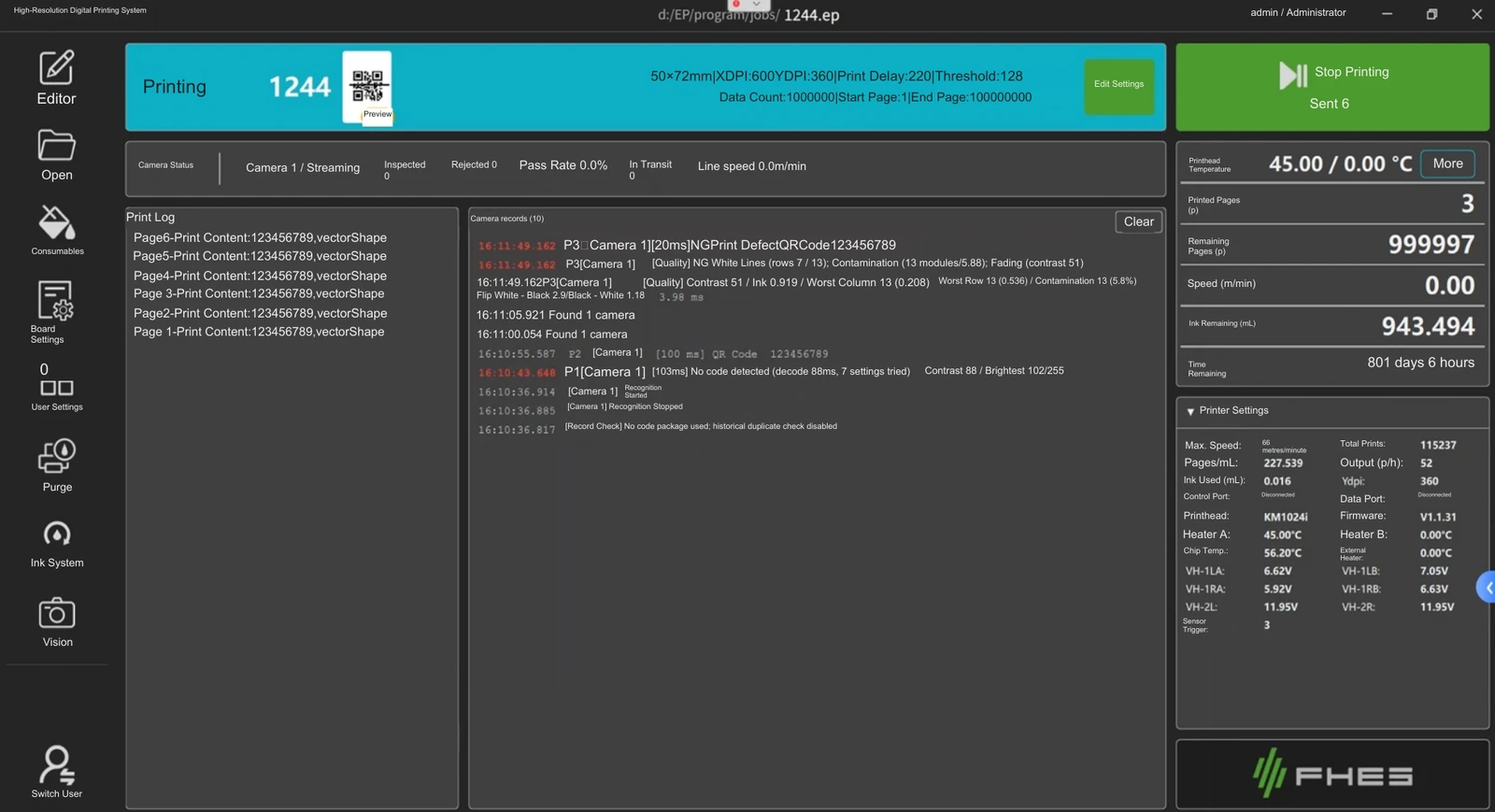
Job status, print logs, camera records and inspection status are shown together to help locate problems on site.
03 / APPLICATIONS
Check single-sided printing, or use the job to establish links between front/back content or position references for continuous materials.
Read printed information item by item and identify exceptions using content-matching and clarity rules.
Read front-side information, find or generate the back-side content, then record and check the back-side printing result.
For pipes, cables or roll materials, use the encoder and line speed to establish positional relationships between printing, capture and inspection.
Alarm, stopping, rejection, manual review and reprinting rules, together with MES / ERP / traceability interfaces, are determined by the specific project configuration and site integration results.
VISION-GUIDED PRINTING
Identify position and angle, print in the designated area, then verify the result.
Configure projects for caps, round parts and variable orientations through camera recognition, coordinate transfer and synchronized printing. Validate positioning, inspection rules and throughput for the machine and actual samples.
Explore vision-guided applications ↗04 / PROJECT REVIEW
The selection information in the brochure helps determine the camera, workstations, cycle time and exception-handling method.
APPLICATION TEST / FHES
Provide print samples, inspection rules, production-line cycle time and exception-handling requirements to help check equipment configuration and the site integration plan.