FHES / PIJ SERIES MD + SD

One International-Version Platform,
Two Ink Supply Configurations

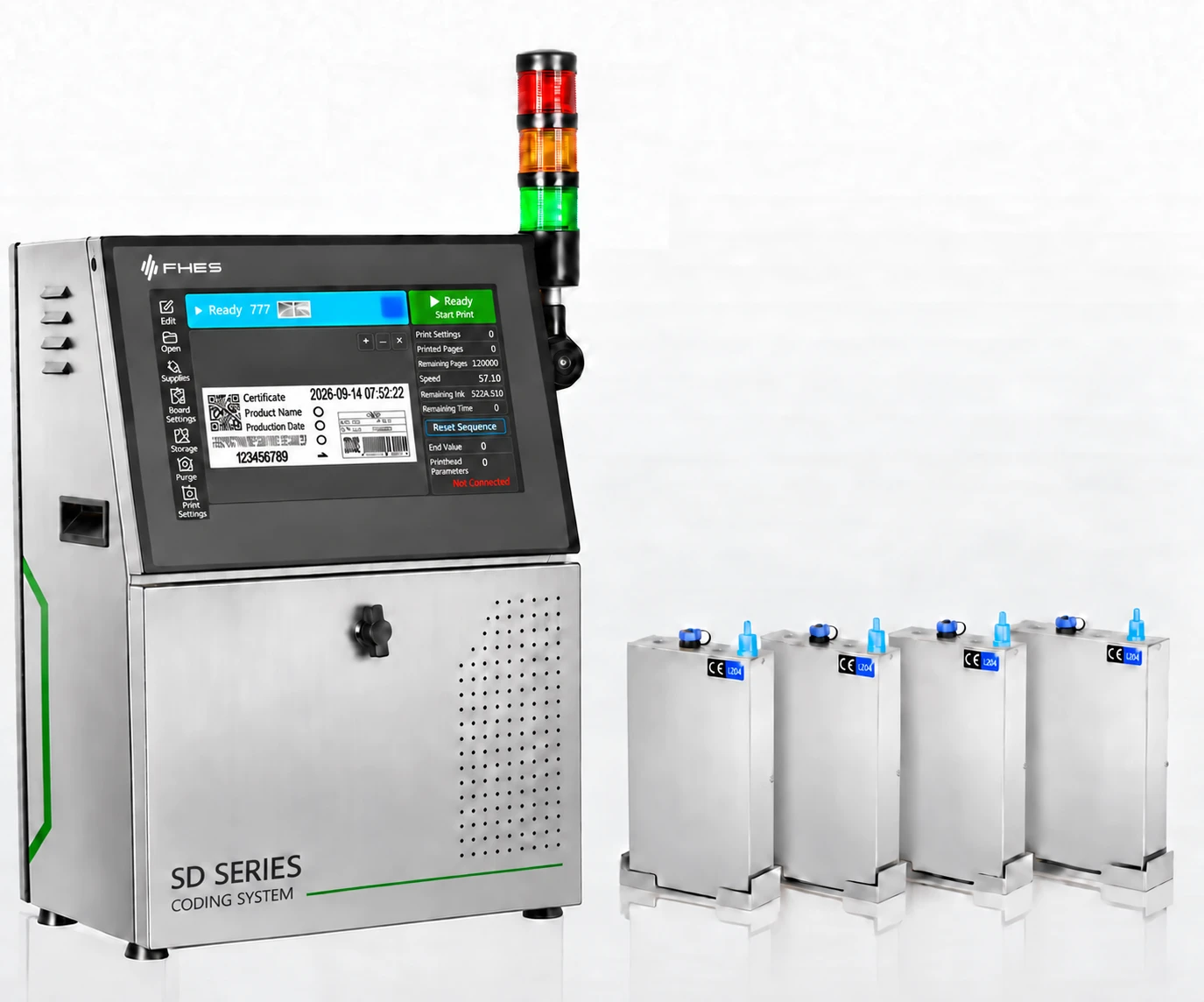
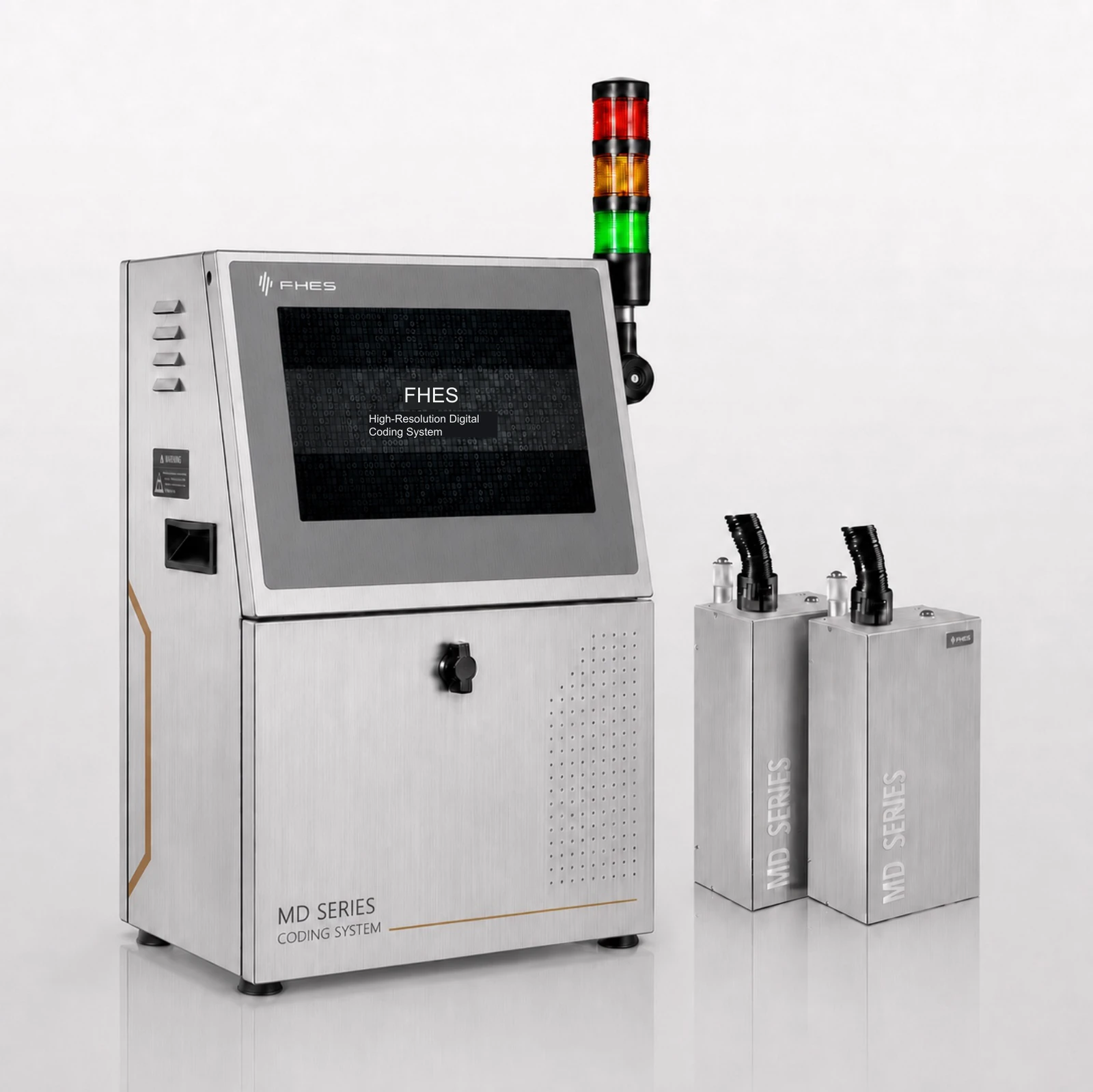
MD and SD share the i7 touchscreen computer, multilingual Easyprint software and 304 stainless-steel enclosure. MD uses intelligent negative-pressure ink supply; SD uses intelligent siphon ink supply. Confirm the printing job first, then choose the configuration according to ink, printhead and workstation conditions.

Ink supply differences are based on the comparison table on page 8 of the MD V1.0 brochure; specific printheads, motorized positioning mechanisms and applicable orientations are subject to delivery configuration and sample testing.
2 typesInk Supply Configurations
Intel i7International Touchscreen Platform
304Brushed stainless-steel enclosure

01 / INK SUPPLY

The Main Difference Is the Ink Supply Method

Both configurations share the international-version platform; ink supply hardware and operating parameters depend on the selected ink and printhead.

MD Series Intelligent Negative-Pressure Configuration
MD / NEGATIVE PRESSURE

MD · Intelligent Negative-Pressure Ink Supply

Set the negative-pressure operating range for the printhead/ink combination, and incorporate replenishment, ink level, pressure and alarm status into the operating procedure. Calibrate negative pressure against ink viscosity, tubing height and the actual printing orientation.

Explore MD Printhead Positioning ↗
SD Series Intelligent Siphon Configuration
SD / SIPHON

SD · Intelligent Siphon Ink Supply

The series comparison table in the MD V1.0 brochure classifies SD as intelligent siphon ink supply. The SD V1.3 brochure focuses on InkLink status management; actual ink level, tubing and supply modules still need to be checked against the project configuration.

Explore the Shared Platform ↗

The SD V1.3 brochure does not provide a separate specification table for intelligent siphon supply; the ink supply classification here uses the comparison information in the subsequently provided MD V1.0 brochure.

MD + SD / MODEL SPECIFICATIONS

MD / SD Model Specifications

Corresponding MD and SD models have the same print height, native resolution, drop volume and speed. MD uses intelligent negative-pressure ink supply; SD uses intelligent siphon ink supply.

MD + SD / PRINTHEAD MODULES

MD / SD Printhead Module Selection

Speed test conditions: native resolution × native resolution, single-drop mode, in m/min. For example, SD50 reaches 220 m/min at 300 × 300 dpi.

MD ModelSD ModelPrint HeightNative ResolutionInk drop volumePrint Speed
MD50SD5032.4 mm300 dpi3 pL220 m/min
MD60SD6054 mm300 dpi5 pL110 m/min
MD70SD7072 mm180 dpi35/50 pL70/54 m/min
MD70PlusSD70Plus72 mm360 dpi12/35 pL50/35 m/min
MD70SSD70S72 mm360 dpi30 pL114 m/min
MD100SD10032.4 mm300 dpi7 pL220 m/min
MD200SD20054 mm600 dpi7 pL110 m/min
MD300SD30054 mm600 dpi5 pL150 m/min

The paired speed and drop-volume values for MD70 / SD70 and MD70Plus / SD70Plus retain the order in the source table.

MD70S + SD70S / SPECIFICATIONS

MD70S / SD70S Detailed Specifications

MD70S and SD70S share the specifications below, using intelligent negative-pressure and intelligent siphon ink supply respectively. The enclosure material refers to the black powder-coated configuration in the source document; confirm the international platform against its brochure and delivered version.

ItemSpecification
Printhead TypeIndustrial piezoelectric printhead
Operator Interface13.3-inch industrial capacitive touchscreen
Enclosure MaterialBlack powder-coated finish
Print LinesUnlimited lines; freely arrange content within the maximum printhead height
Print Speed0-114 m/min
Print Height72 mm
Marking contentVariable and fixed text, images, PDF, one-dimensional barcodes, two-dimensional codes, databases and more
Print FontsSupports fonts available in Windows
Printhead Count1 printhead
Data InterfaceGigabit Ethernet
External interfacesEthernet, USB and RS232
Printing OrientationDownward or side printing; adjustable through 0-180 degrees
Printing ModeSingle or continuous printing
Ink TypesOil-based and UV-curable inks
Ink ColorsBlack, white, red, blue, invisible inks and more
Printhead CleaningOne-touch automatic cleaning
Ink Level DetectionTwo-level ink detection
Software FunctionsBuilt-in duplicate-code detection and verification to help prevent duplicate codes
Power SupplyAC 220 V
Power Consumption100 W
Rated Current2 A
SD270S / DUAL PRINTHEADS

SD270S Dual-Printhead Configuration

SD270S is configured with 2 SD70S printhead modules. The corresponding MD270S model has the same printing specifications with a different ink supply system. The table lists the SD270S configuration from the source document.

No.ComponentQuantity
1Controller ink system1
2SD70S printhead module2
3Independent ink cartridge assembly2
4Floor stand with three-axis adjustment2
52000PR encoder and bracket1
6Omron fiber-optic sensor from Japan1
7711BK environmentally friendly oil-based ink2
8Printhead wipes1
9Dedicated software license dongle1
10Controller base1

Printhead Expansion and Connections

The platform configuration in this document supports up to 2 printheads; cascading multiple controllers enables control of additional printheads.

The standard hose is 2.5 m and can be customized up to 9.5 m. Printhead cables are available in 0.6 m, 1 m or 1.5 m lengths, with custom lengths up to 15 m.

The document specifies an automatic recirculating ink supply system that supports high-density inks prone to settling; verify the ink supply module against the model documentation and delivered configuration.

Specifications follow FHES SD270S Introduction and Technical Specifications. Corresponding MD and SD models are confirmed to share the same specifications and differ only in the ink supply system. Single-printhead specifications and the dual-printhead configuration are shown separately.

MD + SD / INDIVIDUAL MODELS

MD / SD Individual Models

Review print height, resolution, drop volume and speed for each model, then select MD negative-pressure or SD siphon ink supply.

MD + SD / MODEL

MD50 / SD50

MD50 and SD50 share a print height of 32.4 mm, native resolution of 300 dpi and drop volume of 3 pL, with a print speed of 220 m/min.

Print Height
32.4 mm
Native Resolution
300 dpi
Ink drop volume
3 pL
Print Speed
220 m/min
MD / Intelligent Negative-Pressure Ink SupplySD / Intelligent Siphon Ink Supply

MD + SD / MODEL

MD60 / SD60

MD60 and SD60 share a print height of 54 mm, native resolution of 300 dpi and drop volume of 5 pL, with a print speed of 110 m/min.

Print Height
54 mm
Native Resolution
300 dpi
Ink drop volume
5 pL
Print Speed
110 m/min
MD / Intelligent Negative-Pressure Ink SupplySD / Intelligent Siphon Ink Supply

MD + SD / MODEL

MD70 / SD70

MD70 and SD70 share a print height of 72 mm, native resolution of 180 dpi and drop volume of 35/50 pL, with a print speed of 70/54 m/min.

Print Height
72 mm
Native Resolution
180 dpi
Ink drop volume
35/50 pL
Print Speed
70/54 m/min
MD / Intelligent Negative-Pressure Ink SupplySD / Intelligent Siphon Ink Supply

MD + SD / MODEL

MD70Plus / SD70Plus

MD70Plus and SD70Plus share a print height of 72 mm, native resolution of 360 dpi and drop volume of 12/35 pL, with a print speed of 50/35 m/min.

Print Height
72 mm
Native Resolution
360 dpi
Ink drop volume
12/35 pL
Print Speed
50/35 m/min
MD / Intelligent Negative-Pressure Ink SupplySD / Intelligent Siphon Ink Supply

MD + SD / MODEL

MD70S / SD70S

MD70S and SD70S share a print height of 72 mm, native resolution of 360 dpi and drop volume of 30 pL, with a print speed of 114 m/min.

Print Height
72 mm
Native Resolution
360 dpi
Ink drop volume
30 pL
Print Speed
114 m/min
MD / Intelligent Negative-Pressure Ink SupplySD / Intelligent Siphon Ink Supply

MD + SD / MODEL

MD100 / SD100

MD100 and SD100 share a print height of 32.4 mm, native resolution of 300 dpi and drop volume of 7 pL, with a print speed of 220 m/min.

Print Height
32.4 mm
Native Resolution
300 dpi
Ink drop volume
7 pL
Print Speed
220 m/min
MD / Intelligent Negative-Pressure Ink SupplySD / Intelligent Siphon Ink Supply

MD + SD / MODEL

MD200 / SD200

MD200 and SD200 share a print height of 54 mm, native resolution of 600 dpi and drop volume of 7 pL, with a print speed of 110 m/min.

Print Height
54 mm
Native Resolution
600 dpi
Ink drop volume
7 pL
Print Speed
110 m/min
MD / Intelligent Negative-Pressure Ink SupplySD / Intelligent Siphon Ink Supply

MD + SD / MODEL

MD300 / SD300

MD300 and SD300 share a print height of 54 mm, native resolution of 600 dpi and drop volume of 5 pL, with a print speed of 150 m/min.

Print Height
54 mm
Native Resolution
600 dpi
Ink drop volume
5 pL
Print Speed
150 m/min
MD / Intelligent Negative-Pressure Ink SupplySD / Intelligent Siphon Ink Supply

Speed test conditions: native resolution × native resolution, single-drop mode, in m/min. For example, SD50 reaches 220 m/min at 300 × 300 dpi.
MD + SD / SPECIFICATIONS

MD / SD Configuration Specifications

Compare MD and SD ink supply, operating platform and chassis configurations.

ParameterMD InternationalSD International
Ink supplyIntelligent negative-pressure ink supplyIntelligent Siphon Ink Supply
Computing PlatformIntel i7Intel i7
Memory Configuration8 GB standard, 16 GB optional8 GB standard, 16 GB optional
Operator Display13.3-inch industrial touchscreenConfirm against the delivered configuration
Software PlatformEasyprint / Windows / LinuxEasyprint / Windows / Linux
Interface LanguagesMultilingual interface; available languages depend on the software versionMultilingual interface; available languages depend on the software version
Enclosure MaterialBrushed 304 stainless steelBrushed 304 stainless steel
Printhead Position AdjustmentMotorized adjustment; travel depends on the delivered mechanismMotorized adjustment; travel depends on the delivered mechanism
Printing OrientationDownward, side, angled and dual-head layouts; validate for the projectMultiple orientations; validate against the printhead, ink path and installation conditions

The MD display specification follows page 6 of MD V1.0; ink supply and motorized adjustment follow the comparison on page 8 of MD V1.0. See the model table above for corresponding MD and SD specifications, and verify model configurations and the international platform against their respective document versions.

02 / SHARED PLATFORM

Shared International-Version Hardware and Software

A unified operating platform facilitates deployment, training and service across regions; the actual delivery list is subject to the order.

01 / CONTROL

Intel i7 Touchscreen Computer

8 GB RAM is standard and 16 GB is optional. The MD V1.0 brochure also lists a 13.3-inch industrial touchscreen; confirm display specifications against the delivery configuration.

02 / SOFTWARE

Multilingual Easyprint

Windows and Linux software environments are available with multilingual interfaces; specific systems and language lists depend on the project software version.

03 / ENCLOSURE

304 Brushed Stainless-Steel Enclosure

The front, sides and rear panel have a brushed 304 stainless-steel finish, helping standardize equipment appearance and cleaning requirements across regions.

04 / PRINT SYSTEM

Modular Printhead Architecture

Select printhead modules according to print width, direction and dual-head jobs; check ink supply, drive and mounting conditions as a complete set.

04 / PRINTHEAD POSITION

Confirm Printhead Position and Workstation Together

The MD V1.0 brochure describes motorized positioning and dual-head alignment, and also lists SD motorized positioning in its comparison table; the specific mechanism is subject to delivery drawings.

01Confirm the Reference

Check mounting reference, printing distance, material height and available adjustment space.

02Reposition

Fine-adjust the printhead position within the mechanism's permitted travel to reduce repeated disassembly.

03Validate Results

Check print placement, dual-head stitching and continuous operation with actual samples, then lock the parameters.

Downward, side, angled and dual-head layouts are project configurations; validate them together with the printheads, ink, negative-pressure or siphon conditions and mounting mechanism.

05 / CONFIGURATION

Define the Job First, Then Select Ink Supply

Compare MD and SD using the same samples and workstation conditions to determine suitable printheads, ink systems and positioning mechanisms.

01Define the Printing Job

Provide the material, code content, print width, target line speed and workstation orientation.

02Match the Ink Supply Configuration

Check ink type, tubing height, ink level and the maintenance conditions for negative-pressure or siphon supply.

03Complete Site Validation

Check printing results, dual-head alignment, material adhesion and stability during continuous operation.

Confirm the target market's power, language, certification, nameplate and network requirements together with the printing configuration before delivery.

SOURCE / PRODUCT GUIDES

Download the Original Series Brochures Separately

Both brochures now include individual model descriptions, model parameters and detailed specifications. MD uses intelligent negative-pressure ink supply; SD uses intelligent siphon ink supply. Downloads match the current page language.

APPLICATION TEST / FHES

Confirm the MD/SD Production-Line Configuration

Provide actual samples, printing tasks and installation conditions, and determine ink supply and printhead solutions through project testing.